Plans live on different time scales.
Future plans start abstract and get fleshed out as they approach, until they happen, and become a log of your life.
A planner built for how plans actually go: sketch the future in broad strokes, plan today in detail. You're the one with the context, and repair the day in one drag when it slips.
Free during the founding launch period, and the offline core stays free.
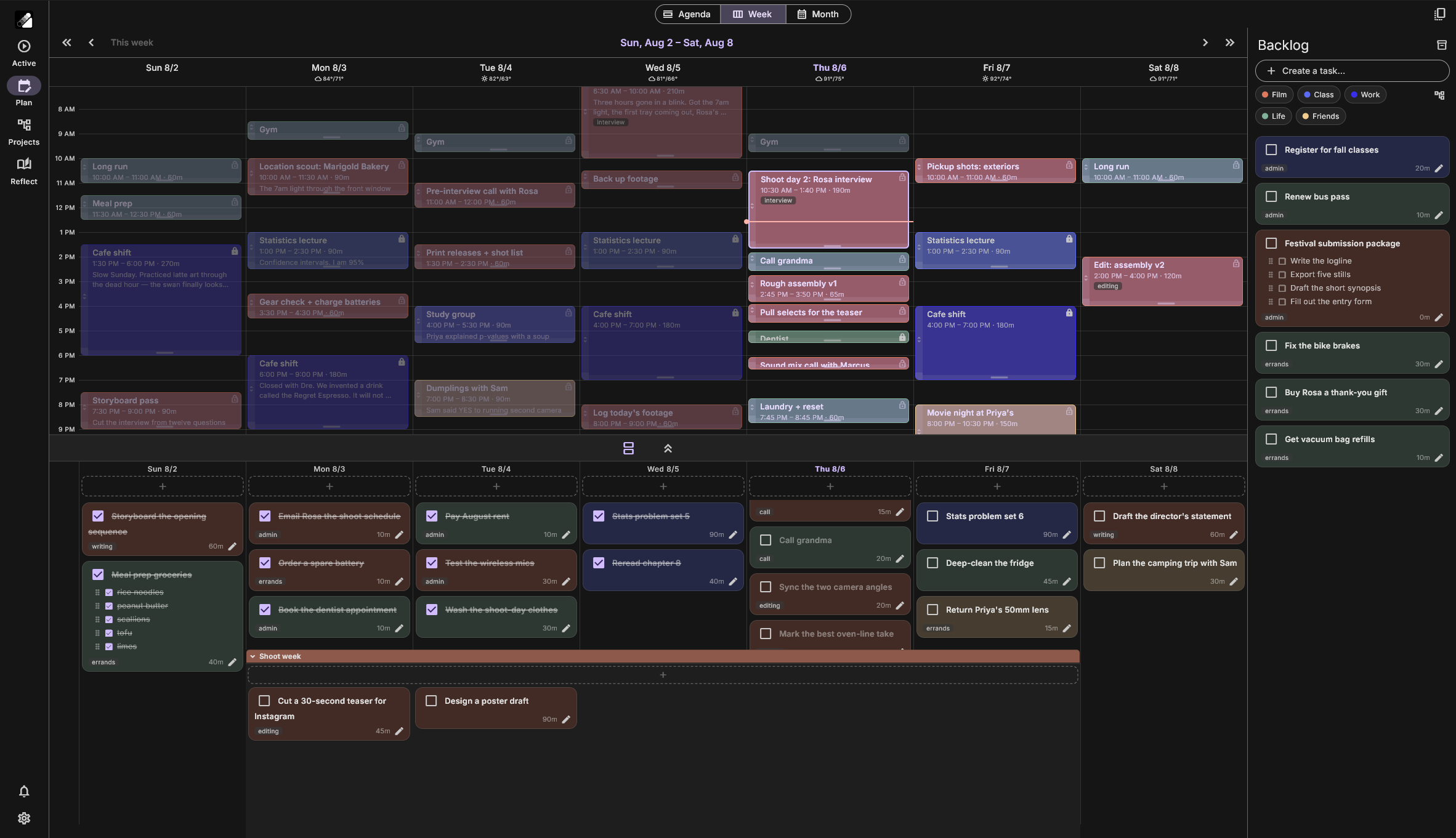
Planning lives on different time scales. You know what today looks like, so plan it in detail. Drag tasks straight onto the schedule. Next week is still a guess, so keep it loose: assign tasks to a day without picking times, or leave them in the backlog until they're real.
DriftPlan is built for scheduling at the last minute, because the last minute is when you know the most.
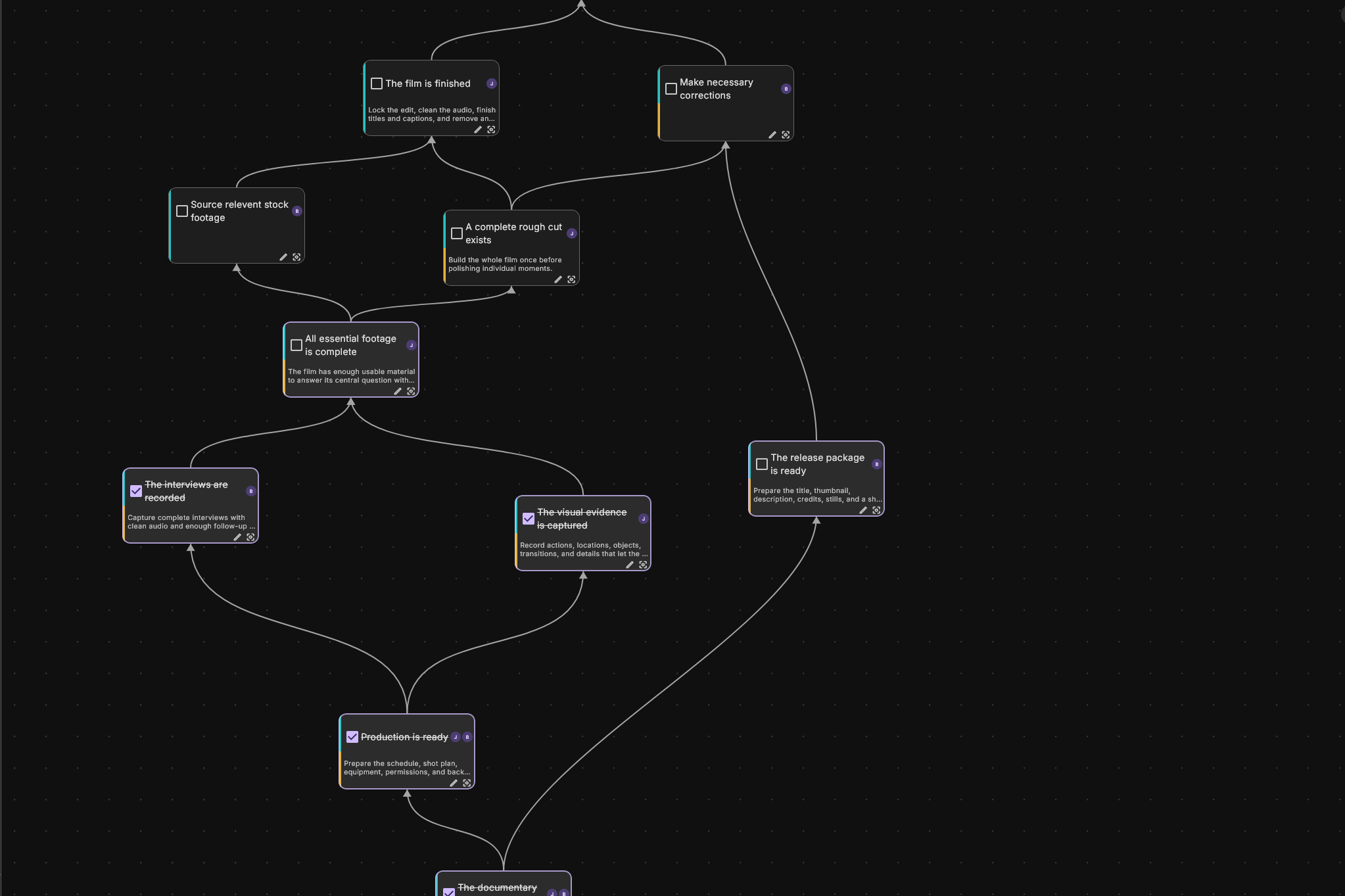
Lay a project out as a map of goals with the dependencies drawn in, like a video-game skill tree. Finishing one goal unlocks the next, so there's always a next move you already chose. When a goal turns out to be a project of its own, break it into its own tree.
And bring people in: assign goals to friends or teammates, delegate whole branches, and watch the same tree fill in together.
Plans fall apart on contact with the day. That's not a personal failure, it's what plans do. So repair should be cheap, not shameful. When something runs long, chain-drag: pull one event and everything after it re-flows to match, stopping at the things that can't move.
Push a task to tomorrow's bin. Drop it back in the backlog. A plan you can't cheaply repair is a plan you abandon.
In a free moment, the Do Now panel suggests only what you can actually start: tasks whose prerequisites are done and that fit the gap before your next event, with today's picks first. You choose from the handful you already decided on, not a list of a thousand.
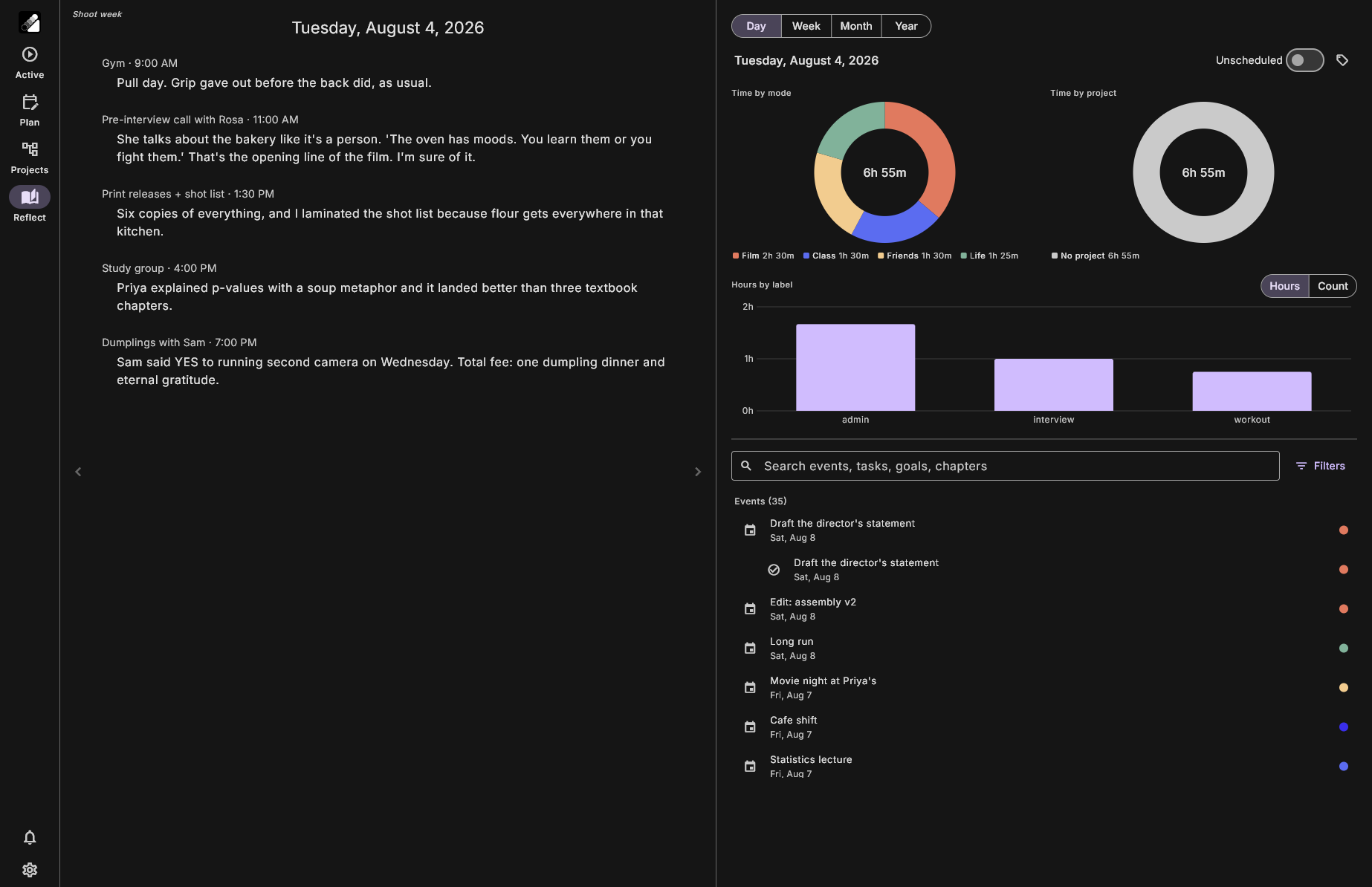
And when something wraps up, say so while it's still in front of you check it off, jot what happened, pick the next thing, start the timer. Day by day those notes compile into a journal you never had to sit down and write: a calendar in form, a journal in function.
Awareness grants control: when you can see how you actually spent your time, you can choose to spend it differently. Reflect charts your days by mode, label, and project, over a week, a month, a year, and every chart is a doorway: tap a slice to search everything behind it.
Filter by label, search a task by name, and land on the note you wrote three weeks ago in seconds.
Future plans start abstract and get fleshed out as they approach, until they happen, and become a log of your life.
Every plan breaks. Repair should cost one drag, not a rebuild. A planner that punishes change is a planner you quit.
You are what you repeatedly do. See it clearly, and the next choice is yours to make.
Your data lives on your device. Take it anywhere.
DriftPlan is free during the founding launch period, and the offline core stays free. Accounts created now get their first year of premium free when paid plans arrive.